What you came for
You are about to give your team a single place where the answer to "how do we do this here?" lives — without that answer ending up in a Slack pin, a prompt comment, and the head of whoever onboarded last. A bucket is the unit of grouping inside that single place. It is small enough that one person can own it, big enough to hold a topic, and named clearly enough that a new hire can guess where to look.
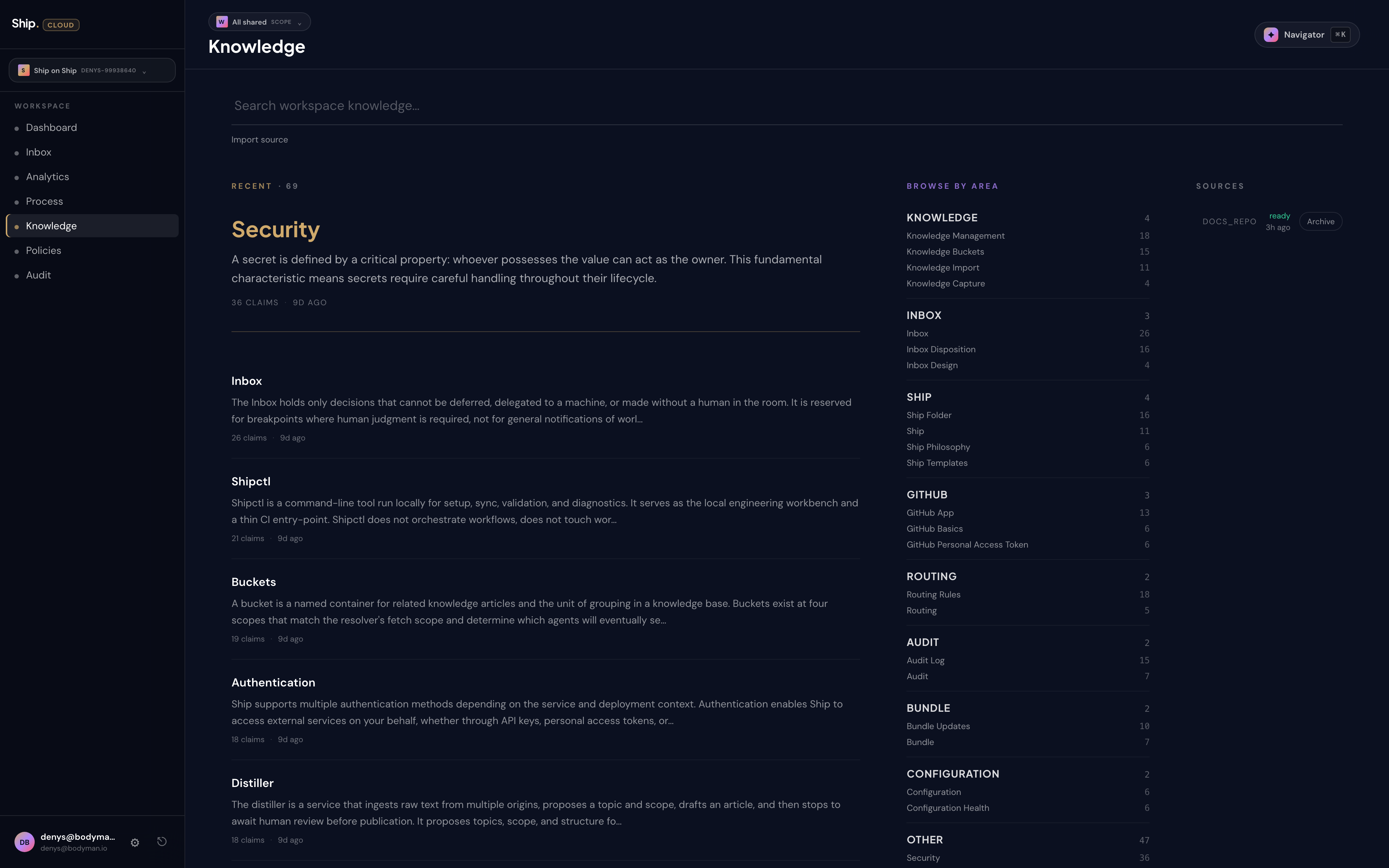
On the Knowledge page you will see a search bar over your workspace's knowledge, a Lighthouse corpus summary (how many chunks and sources the engine holds), and your Import sources. Buckets remain the conceptual unit of grouping for the facts your agents read; they are owned and curated through your sources and the review path rather than browsed as a sidebar of named folders. Your knowledge base will look different by the end of week one. That is the point.
Why buckets, not folders
A folder is a place. A bucket is a commitment. When you create one you are telling your team and your agents "this is one topic, with one owner." Every article inside inherits the bucket's scope and review cadence, so a reviewer can sit down for fifteen minutes and approve one area without re-reading the workspace.
Getting it slightly wrong is cheap. Buckets merge cleanly. Articles keep their identity when they move. Renaming does not break citations. If you start with four buckets and end with seven by the end of the quarter, that is a workspace that learned what it actually does.
The four scopes
A bucket lives at one of four scopes — workspace, project, repo, or user. The scope decides who sees the bucket and which agents read from it.
- Workspace — company-wide defaults. Brand voice, the deploy procedure, your stance on third-party data. If a fact is true everywhere you operate, put it here.
- Project — standards shared across one product line. The release calendar for the mobile app. The labelling conventions for the customer-success backlog. Things that belong to a product, not to the company.
- Repo (legacy) — repo-specific conventions; new knowledge should use workspace or project scope. Repo-scoped buckets are preserved for read-only compatibility and are no longer the way to diverge per repository.
- User — private notes scoped to one person, where supported. A scratchpad that does not need to be reviewed by the team.
The system prefers the most specific scope when more than one bucket could answer the question. If your workspace has a general Incident response bucket and one product line needs to diverge, you create a project-scoped Incident response bucket and that overrides the workspace version for that project only. The override is the exception, not the default. Use it when the project genuinely has its own rules — not because the bucket name sounded useful in two places.
When to split, when to merge
The clean test is five seconds. If someone unfamiliar with the team can guess which bucket holds an article — within five seconds — your taxonomy is healthy. If they hesitate, you have either too many buckets or buckets that overlap.
Split a bucket when two audiences read it differently. Engineers and customer success both opening the same onboarding article but skipping to different sections every time is a signal. One bucket covering both "SQL query patterns" and "Transaction isolation" where half the readers want one gone — that is a signal too.
Merge buckets when every article in one keeps citing one in the other. When nobody on the team can agree which bucket a new article belongs to. When a small bucket keeps shrinking as articles drift elsewhere. Merging is cheap. Articles do not lose their history, agents do not lose their citations, readers who already know the article they want do not notice.
Naming
Bucket names show up in citations agents leave in their work and in search results on the Knowledge page. They are read more often than they are written. Plain over clever. "Security" beats "Lockdown". "API contracts" beats "Interfaces". Inside jokes age into onboarding friction.
Starting small
Most workspaces start with three to five buckets and grow as the team finds reasons to split. Do not try to design the perfect taxonomy on day one — you have not met the questions yet. Create a bucket when you need one. Watch which buckets grow week over week. The buckets that grow tell you what your team actually does. The buckets that stay at one or two articles for a month tell you what was a guess.
Good bucket design is responsive, not prophetic.